Tesla Track Mode
A Track Mode interface concept helps drivers compare handling balance, temperatures and cooling settings before the next lap.
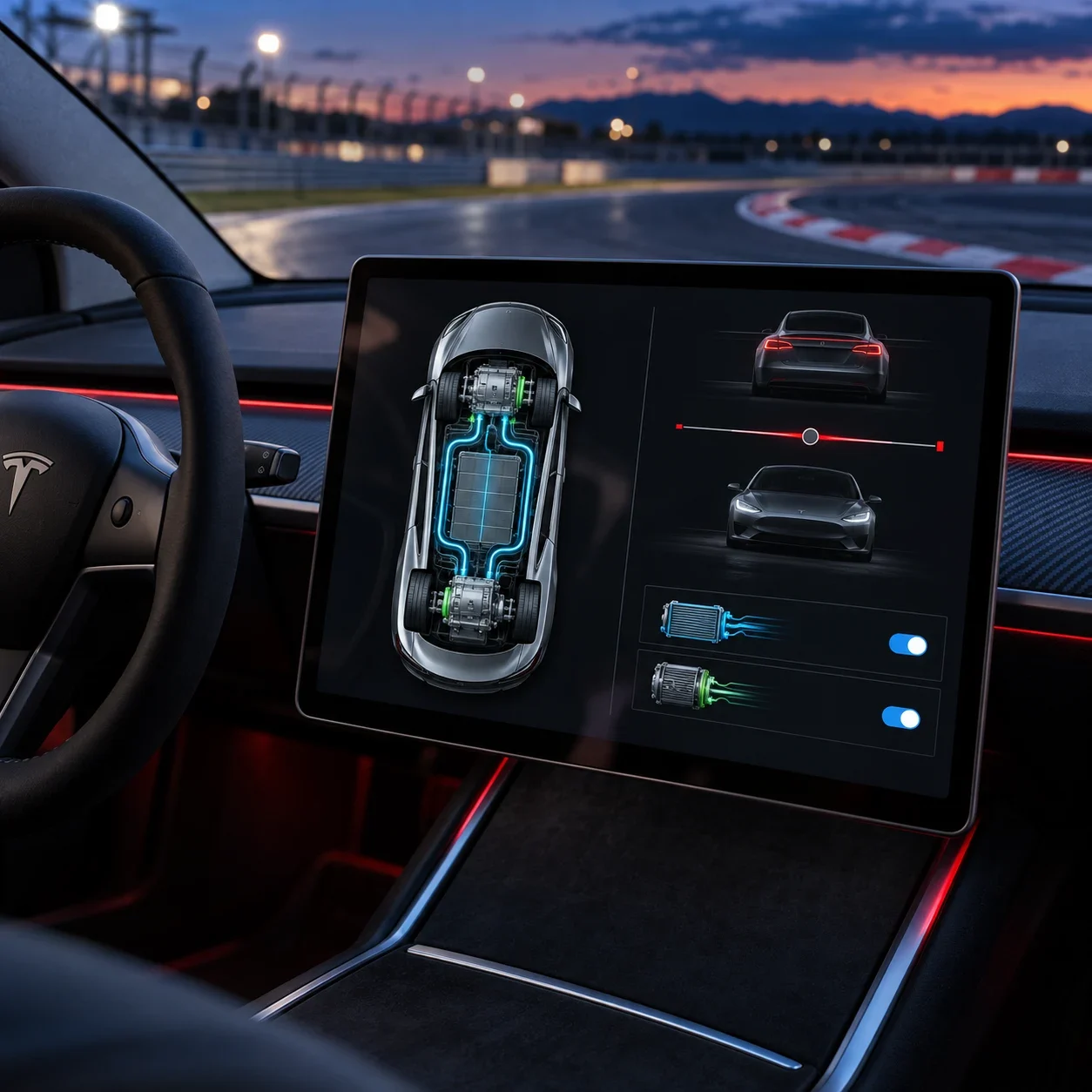
A self-initiated interface study for Tesla Model 3 Performance. Tesla is the subject of the concept, not a commissioning client.
Make axle balance and cooling controls legible together, with immediate feedback and a clear distinction between vehicle status and adjustable settings.
Interface design and responsive interactive prototyping
Responsive HTML prototype, handling balance controls, cooling controls, session states and case-study presentation.
The responsive prototype includes linked balance values, cooling switches and session feedback. Status and adjustments share a clear hierarchy across the overview and component views.
Independent concept by Ali Komeili. Tesla names and marks belong to Tesla. Supplied AI-generated cockpit illustration; not a photograph of a released interface.
Get ready for the next lap
Track preparation involves reading the car’s state and choosing how it should behave. This independent Tesla Model 3 Performance concept brings axle balance, component temperatures and cooling settings into one screen. The driver can compare those related choices together, with simulated telemetry making the proposed interaction available to explore.
Track Mode interactive prototype
Interactive interface — open the live preview.
Two values move as one setting
Front and rear balance stay linked and always total one hundred. Presets provide a starting point, while a custom setting keeps the current percentage pair beside the control. Immediate visual feedback makes the relationship between a movement of the slider and its two values easy to follow.
Handling balance — live component
Interactive interface — open the live preview.
Keep heat beside the controls
Battery and powertrain readings stay close to the cooling switches. Blue meters distinguish thermal information from the handling control, and each switch includes a short explanation. The compressor option explores additional cooling capacity as a concept feature, with no claim of physical validation.
Thermal management — live component
Interactive interface — open the live preview.
A dashboard that stacks clearly
On wide screens, vehicle status and adjustments share two columns. On smaller screens, the same sections stack in reading order while retaining the profile presets, percentage labels and cooling controls. This responsive version makes the concept accessible as a browser presentation beyond its in-car setting.
Responsive interface — live at 390 px
Interactive interface — open the live preview.
A working screen for track preparation
The responsive prototype includes linked balance values, cooling switches and session feedback. Status and adjustments share a clear hierarchy across the overview and component views. It provides a concrete interface concept for reviewing preparation tasks before vehicle integration and track testing.